Additional documentation
-
 Look
Kako smo prihranili denar s popravilom pokvarjenega LED reflektorja - Video vodič
Look
Kako smo prihranili denar s popravilom pokvarjenega LED reflektorja - Video vodič
-
 Look
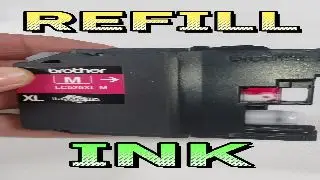
Oživitev starejšega Brother Tiskalnika: Kako Prolongiramo Življenjsko Dobo z Inovativnim Črnilom
Look
Oživitev starejšega Brother Tiskalnika: Kako Prolongiramo Življenjsko Dobo z Inovativnim Črnilom
-
 Look
Prikaz Polnjenja Kartuš za Epson Plotterje Serije SureColor
Look
Prikaz Polnjenja Kartuš za Epson Plotterje Serije SureColor
-
 Look
Zamenjava čipov na HP 963 kartušah za AUTO RESET čipe
Look
Zamenjava čipov na HP 963 kartušah za AUTO RESET čipe
-
 Look
Naredi sam : 10W LED luč za kolo iz stare baterije
Look
Naredi sam : 10W LED luč za kolo iz stare baterije
-
 Look
Prikaz zamenjave čipa na SAWGRASS Virtuoso SG500 kartušah
Look
Prikaz zamenjave čipa na SAWGRASS Virtuoso SG500 kartušah
-
 Look
Reset čipa za Xerox C230/C235
Look
Reset čipa za Xerox C230/C235
- Look How to defend yourself against fimwera upgrades?
-
 Look
Why are our inks simply better - comparison and explanation !
Look
Why are our inks simply better - comparison and explanation !
-
 Look
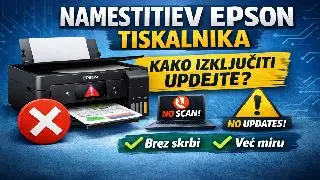
What to do when installing a new Epson printer
Look
What to do when installing a new Epson printer
-
 Look
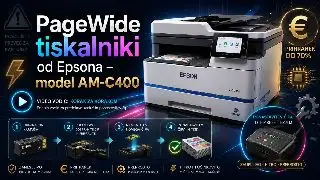
PageWide printers from Epson model AM-C400
Look
PageWide printers from Epson model AM-C400
Related FAQs
- Zakaj tiskalnik javi napako CARTRIDGE NOT RECOGNIZED
- Kaj pomeni kratica ARC čip
- What is the difference between the original cartridge and the restored cartridge or toner?
- V čem je posebnost naših Ricoh tonerjev ?
- Katere so prednosti tiskalnika XEROX C230 ali C235
- Zakaj so na Epson kartušah čipi in kako jih resetiramo
-
 Kje lahko dobim novo glavo za Epson 1390 DTF UV v Ljubljani?
-
 Kaj pomeni Not Compatible Toner Cartridge ?
-
 Can you engrave on protective helmets?
-
 Zakaj nove toplotne preše ne dovolijo višjih temperatur??
-
 Kakšne nastavite moram nastaviti zauporabno polnjenih kartuš
-
 Can the original epson cartridges be charged?