
Why does the printer report a CARTRIDGE error NOT RECOGNIZED
one possible answer to this question is that the printer is purchased in another region and the cartridges you get from us are useless. This happened to our client who had Xerox Phaser 3052 printers. We filled her cartridge and set it all up, but the printer still wouldn't print. When the party brought the printer to see what the trick was, we found that it did not support cartridges intended for the Slovenian market. We immediately found a solution and loaded the customer with a hacker firmware that no longer weighs on the chips, but works without chips on the cartridges. And we taped the chip with an insulatory salad. Problem solved! Now it's your turn. Your pleasure comes first. We are happy to offer you free advice via e-mail, where we will offer you solutions to problems with the printer. In addition, we are available for personal consultation by telephone at 070 282 282. Our experts are willing to listen and offer support.
Do not hesitate to contact us. Together we will find the optimal solution for the smooth and successful use of our printer.
Do not hesitate to contact us. Together we will find the optimal solution for the smooth and successful use of our printer.
Published:
13.08.2023
Related products
-
 Restored toner Xerox Phaser 3052/3260/WC 3215/3225 for 3000s
-
 Chip for Xerox Phaser 3052/3260/WorkCentre 3215/3225 black for 3000 pages (106R02778)
-
 Restored optical unit for Samsung MLT-D116D for 9000 pages
Additional documentation
- Look Renewal procedure for Toner OCS ES5463
-
 Look
How to save XEROX Phaser chip reset 3052
- Look Saving printer Brother from a piece removal
-
 Look
Configure your printer to accept the loaded HP 937 963 953 cartridges etc....
-
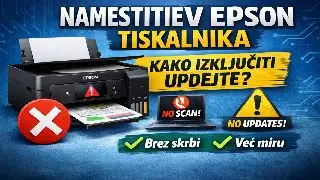 Look
What to do when installing a new Epson printer
-
 Look
Where to drill holes for filling Canon CL-511