UGREEN CM833 5-portno gigabit grid switch 10/100/1000 Mb/s
UGREEN CM833 5-portno gigabit grid switchOne free grid connection. And the computer, the
EUR 7,00
In stock


UGREEN CM833 5-portno gigabit grid switchOne free grid connection. And the computer, the
One free grid connection. And the computer, the printer and the extra device are waiting for the connection. If you are aware of this situation, you do not need to immediately change the entire network! UGREEN CM833 grid switch 5-portno 10/100/1000 Mb/s allows you to connect devices to a common wire network and expand the number of connections available.
We recommend a simple starting point: first count the devices, then check their connections and then select the equipment. Five RJ45 connectors are useful for home office, small work environment or development desk, where you need a connection between computers, network printers and other equipment. If one connection is connected to the router, there are four for the other devices.
UGREEN CM833 has five RJ45 connections with speed support 10/100/1000 Mb/s. It's an unmanaged switch, so you don't need a web manager or driver installation for basic operation. Connect the relevant power supply and grid cables; the connection is adapted to the capabilities of connected devices. The performance is without a fan and therefore suitable for a working table where quiet operation is important.
Technical reference and model photo: UGREEN CM833, 5-port Gigabit Switch. Model data do not mean that additional cables or other displayed accessories are included in each tender.
The main advantage of this switch is clear: where you need more wire connections, you get five network connections. LAN means local network, i.e. connection of devices in your home, office or workshop. The switch connects devices within such a network; for Internet access you need an appropriate connection via a router and an Internet provider.
When planning, consider all links. If you want to connect five end devices in addition to the router connection, a five-way switch will not be enough. We then recommend a multi-connection implementation. The correct number of doors on purchase prevents you from needing another extension immediately.
Code 10/100/1000 Mb/s describes the supported connection speeds. The highest specified speed is 1000 Mb/s or 1 Gb/s. It's a gigabyte connection. Compared to the most supportive switch 100 Mb/s, allows ten times higher rated speed of each connection when supported by other equipment and cables.
In doing so, we distinguish the speed of connection from the speed of the task. A printer with a network connection of 100 Mb/s will not get a gigabit connection due to its connection to the gigabit switch. Also, its mechanical printing speed does not increase. The main benefit is to connect the equipment and not to add a limit to 100 Mbps to the Gigabit compatible devices.
The final speed also depends on the cable and connected devices. If there is a slower connection between the router and the switch, it can limit the traffic of devices towards the Internet. The devices on the switch which use this connection at the same time share its available capacity. The nominal speed is therefore not a promise of the same speed for each task at any time.
Measurement units are also important. Mb/s means megabite per second and MB/s megab per second. Since one byte contains eight bits, 1000 Mb/s computedly corresponds to 125 MB/s before considering network overheads and other limitations. The actual file transfer is lower and may also be limited by memory, disk or software. The switch just does not increase the speed of your internet package.
A network printer is a good example of a device that you can give a permanent wire connection. Connect the computer and printer to a properly configured network, then add the printer to the operating system. This reduces the need to physically switch cables between individual jobs.
Before connecting, check if the printer has Ethernet connection. With this switch, do not turn a USB-only printer directly into a network printer. For this to happen, you need another suitable solution. Also, cable connection does not in itself regulate drivers, joint folder permissions or wrong network settings.
Wire connection makes sense especially for equipment that has a permanent place. The mobile phone can continue to use Wi-Fi and the desktop computer and network printer cable. The two solutions complement each other. When planning, we look at which devices actually need a cable connection, and we dedicate the available doors to them.
A small network switch can be placed next to the workstation, on the office desk or in a small technical corner. However, when measuring the room, consider not only the housing. The space also needs connected cables, their turns and a separate external power supply.
External charging information does not confirm the contents of the sales package. Before ordering, we coordinate which performance is available, what kind of power supply is needed and what is included. This avoids the unpleasant surprise of hooking up.
Illustrate practical example, not customer testimony: in a smaller office in Ljubljana, you want to connect two computers, a network printer and a compatible industrial device for development testing. The network cable from the router has already been brought to this location. The arrangement of all five connections may be as follows:
In this case, the switch is fully charged. If you add another device soon, it makes sense to compare larger executions already. However, if the four end devices and the connection to the router are sufficient, the five-port design corresponds to this schedule.
With industrial equipment, we further check the communication protocol, network settings and manufacturer requirements. The same RJ45 connector does not yet guarantee that two devices will communicate. The use in the development of automation also does not confirm the suitability of the switch for a demanding industrial environment, specific temperatures or time critical control.
For a useful comparison you need the same task: connect several devices to the existing wire network. Below we compare the types of competitive solutions according to known properties. The prices, consumption and additional functions of individual models are not confirmed and are therefore not used as a basis for claims of advantage.
| Solution | Known Property | Priority in selection | Limitation or verification |
|---|---|---|---|
| UGREEN CM833 5-portno 10/100/1000 Mb/s | Five RJ45 connections, gigabit connection, compact version, external power supply | Extension of smaller wire network; higher nominal speed than solution 10/100 Mb/s | After connecting to the router, four connections for devices remain |
| 5-port switch 10/100 Mb/s | Five connections with a speed not exceeding 100 Mb/s | Equipment that only needs connections up to 100 Mbps may be sufficient | It does not allow gigabit connection; it can limit faster devices |
| Eight-port gigabit switch | Eight network connections and gigabit connections | More space for additional devices; seven doors remain after one connection to the router | Check the dimensions, power and properties of the specific model |
| Switching router | Number of doors and supported speeds depend on the model | Makes sense when you also need new orientation functions or other improvements | Due to missing connections themselves may not be necessary; compare cost and settings |
| Wireless network expansion | Connecting devices via Wi-Fi, depending on the equipment selected | Useful for mobile devices and places where cable installation is difficult | Check coverage, radio conditions and device support; does not necessarily replace Ethernet connectors |
The advantage of the product under consideration over the 10/100 Mb/s switch is to support the gigabit connection. However, the option of maintaining existing equipment in operation may be an advantage over changing the router. Compared to the second five-port gigabit switch, only the rated speed and the number of doors do not prove that one brand is better. We then compare concrete models, supplied equipment and your needs.
Benjamin Franklin pointed out in a text from 1758 in the Slovenian translation: Watch out for small expenses; a small crack will sink a large ship. Source is copy of original text on page American Battlefield Trust. With network equipment, this thought is linked to a planned purchase: each supplement should solve the actual need.
If an existing router is doing his job and you only need more network connections, extension by switch can be a way to solve the problem cheaper it's beyond a major renovation. The final cost must be compared with actual offers. Include the necessary cables, power and any help with the settings in the account.
For Us favourable means in particular the right choice for your work. Saving may also be due to the preservation of useful equipment and the avoidance of unnecessary replacement. This can reduce the amount of discarded electronics without assigning unconfirmed data on energy consumption, emissions or environmental certificates to the product.
The WIRED technology medium in the Ethernet cable installation guide at home exposes the use of network connectors. It also recommends some free doors for future devices and marking cables. This is a useful guideline when planning the home network, not evaluating or recommending this specific product.
Source of summary: WIRED: How to Run Ethernet Cables to Your Router and Keep Them Tidy. Sources are also useful to further explain the role of individual devices Cisco: difference between switch and router and Cisco: Gigabit Switch.
In the Council of Blacks we help you to build a simple and transparent connection of devices. To select equipment local and suit you LjubljanaBefore buying, tell us which computers, printers or other devices you connect. A photograph of their network connections or an exact equipment label is useful.
The model in this offer is UGREEN CM833. It's an unmanaged gigabit switch to expand the local network. Check the contents of the package before ordering, if you also need a power supply or additional network cables for your layout. Existing devices retain their network settings; the switch only does not replace the router or Wi-Fi access point.
Send us a list of devices and see if it's UGREEN CM833 5-portno gigabit network switch the right choice for your connection! So before ordering, let us clarify the most important: how many doors do you need, what speed your equipment supports and how you will power the switch.
Does it really make sense to throw away a functioning router just because it runs out of network connections?
Za ta izdelek ni na voljo dokumentacije.
Provides sharp and professional prints.
Tested quality for reliable operation.
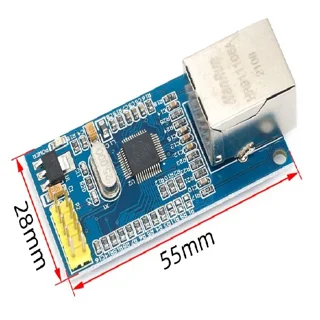
W5500 adds Ethernet via SPI. It is useful where you can power the cable and want to reduce dependence on the radio environment; it does not in itself change the ESP32..

Uporaba termalne kamere omogoča hitro odkrivanje napak v elektroniki, preprečuje pregrevanje in zagotavlja hitrejša ter cenejša popravila.

Zakaj se v žarometih nabira vlaga? To ni vdor vode, ampak kondenz! Preberite, kako preprečiti kondenzacijo in podaljšati življenjsko dobo žarometov.
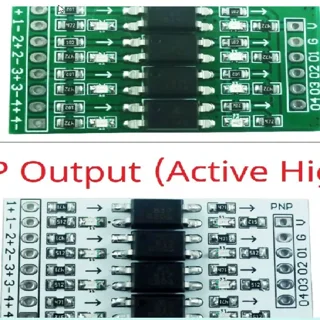
Do not connect the 5-V or 24-V output directly to the ESP32 GPIO. First determine the type of sensor output, then select the appropriate..

Join our sales network and earn up to 35%! You don’t need a company to start – we support you on the way to success and extra earnings.

Discover RustDesk, a free and open source alternative to AnyDesk and TeamViewer that allows easy and safe remote access without restrictions.

Discover the advantages and disadvantages of independent service and how our experience and flexible approach can help you repair your device.

The World of Inks offers innovative solutions for printing, automation and laser welding. Join those who already reduce costs and increase efficiency!

W5500 Ethernet module, TCP IP network module, SPI MODE 0 3, 8051 51 Ethernet, STM32 Ethernet, 8 sockets, 10BaseT 100BaseTX, Wake on LAN UDP, 32K TX RX buffer, cheaper, affordable, savings, local, Ljubljana
9,00 EUR
Add to Cart
RJ45 10Gbps spojka, Ethernet spojka, Cat8 Cat7 Cat6 adapter, female to female RJ45, gigabit network extender, alu housing, low interferance, gold plated contacts, ceneje, ugodno, prihranek, lokalno, Ljubljana
EUR 4,00
Add to Cart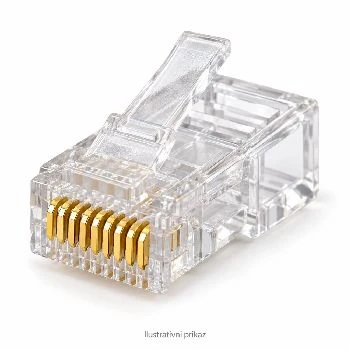
WOPU G351D, mrežni konektor RJ45, Cat5, pozlačeni kontakti, krimpanje mrežnega kabla, LAN
0,30 EUR
Add to Cart


